


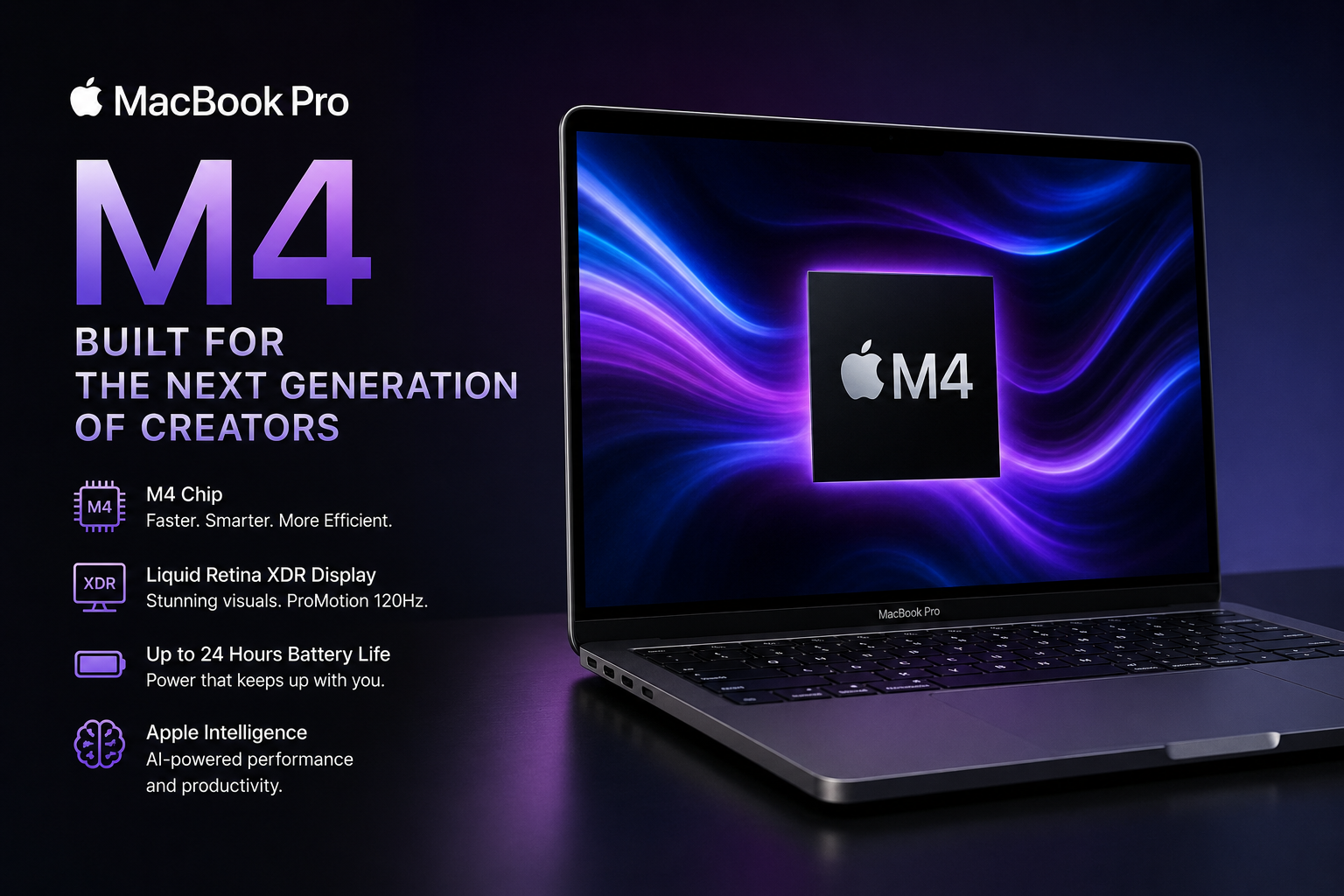
Apple has always pushed the boundaries of premium laptops, but the arrival of the MacBook Pro M4 takes performance, efficiency, and professional computing to a completely new level. Designed for creators, developers, business professionals, and power users, Apple’s latest MacBook Pro lineup combines incredible processing power with long battery life and a stunning display.
The newest generation of Apple Silicon focuses heavily on AI performance, multitasking, graphics rendering, and productivity. Whether you edit 4K videos, build apps, create 3D designs, or simply want a future-proof laptop, this machine is attracting massive attention across the tech world.
One of the biggest reasons behind the excitement is Apple’s new M4 chip architecture. The company has improved CPU speed, GPU rendering, Neural Engine performance, and power efficiency while maintaining the premium design MacBook users already love. According to Apple’s official specifications, the latest model also introduces enhanced AI capabilities through Apple Intelligence integration.
| Feature | Details |
|---|---|
| Processor | Apple M4, M4 Pro, and M4 Max chips |
| Display | Liquid Retina XDR with ProMotion |
| Refresh Rate | Up to 120Hz |
| Battery Life | Up to 24 hours |
| RAM Options | Starts at 16GB unified memory |
| Storage | Up to 8TB SSD |
| Best For | Creators, developers, professionals |
| Special Features | AI support, ray tracing, Apple Intelligence |
What Is the MacBook Pro M4?
The MacBook Pro M4 is Apple’s latest professional laptop powered by the fourth generation of Apple Silicon chips. It comes in both 14-inch and 16-inch variants and offers multiple chip configurations, including the standard M4, M4 Pro, and M4 Max.
Apple designed this machine for users who require high-end performance for demanding tasks such as:
- Video editing
- Software development
- Music production
- AI workflows
- Graphic design
- 3D rendering
- Professional multitasking
Unlike previous Intel-powered MacBooks, Apple Silicon focuses on combining CPU, GPU, RAM, and Neural Engine into one efficient system-on-chip architecture. This improves both speed and battery efficiency significantly.
A Design That Still Feels Premium
Apple did not dramatically redesign the physical appearance of the laptop, but that is not necessarily a bad thing. The MacBook Pro already had one of the most premium laptop designs in the market.
The aluminum body feels durable and elegant while maintaining a professional appearance. Users can choose between:
- Space Black
- Silver
The Space Black version has especially gained popularity because of its sleek, modern aesthetic.
Apple also improved durability and portability while keeping the laptop lightweight enough for daily travel and work setups.
Performance Improvements With the M4 Chip
Performance is the main reason why people are upgrading to this generation.
The base M4 chip includes:
- 10-core CPU
- 10-core GPU
- 16-core Neural Engine
- Hardware-accelerated ray tracing
Meanwhile, higher-end models feature M4 Pro and M4 Max chips with even more GPU cores and memory bandwidth. Apple states that these chips deliver major improvements in rendering, multitasking, and AI-based workflows.
One major advantage of Apple Silicon is efficiency. Unlike many traditional high-performance laptops that become hot and noisy, the new MacBook Pro remains surprisingly quiet even under heavy workloads.
Professionals editing 4K or even 8K video can experience smoother timelines, faster exports, and improved rendering speeds compared to older generations.
Apple Intelligence and AI Features
Artificial intelligence has become one of the biggest trends in technology, and Apple is now integrating AI deeply into macOS.
The latest MacBook models support Apple Intelligence, which introduces:
- AI writing assistance
- Smarter productivity tools
- Advanced image handling
- AI-powered search functions
- Enhanced Siri capabilities
Apple emphasizes privacy-focused AI processing, meaning much of the computation happens directly on the device instead of relying entirely on cloud servers.
This makes the laptop especially appealing for professionals working with sensitive information.
The Stunning Liquid Retina XDR Display
One of the strongest features of the MacBook lineup remains the display quality.
The laptop includes a Liquid Retina XDR display featuring:
- Mini-LED technology
- Up to 1600 nits peak brightness
- 1,000,000:1 contrast ratio
- Wide P3 color support
- ProMotion 120Hz refresh rate
The result is an incredibly sharp and vibrant display that looks fantastic for:
- Video editing
- HDR content
- Graphic design
- Photography
- Entertainment
The adaptive 120Hz refresh rate also makes scrolling and animations feel extremely smooth.
Battery Life That Competes With Everything
Battery life continues to be one of Apple’s biggest strengths.
According to Apple, some models can deliver:
- Up to 24 hours of video playback
- Up to 16 hours of wireless web usage
Real-world usage naturally varies, but most users report excellent battery performance even during professional tasks.
For students, remote workers, travelers, and content creators, this means fewer charging interruptions throughout the day.
Why Professionals Prefer the MacBook Pro
Creative professionals often choose MacBook Pro models because macOS works extremely well with professional software.
Popular tools optimized for Apple Silicon include:
- Final Cut Pro
- Logic Pro
- Adobe Premiere Pro
- DaVinci Resolve
- Xcode
- Blender
The optimized hardware-software integration gives Apple an advantage in performance consistency and efficiency.
Many users on online tech communities also believe the base M4 model already offers enough power for most workflows, while M4 Pro and M4 Max versions are best suited for heavy professional use.
Gaming on Apple Silicon
Gaming has traditionally not been Apple’s strongest area, but things are changing.
Apple has introduced:
- Hardware-accelerated ray tracing
- Better GPU performance
- Improved game optimization
- Metal graphics enhancements
While Windows gaming laptops still dominate hardcore gaming, Apple’s latest chips are becoming much more capable for casual and professional-level gaming experiences.
More developers are also bringing games to macOS due to Apple Silicon’s increasing popularity.
Ports and Connectivity
Unlike older MacBook generations that removed many ports, the latest MacBook Pro brings back professional connectivity options.
Available ports include:
- Thunderbolt ports
- HDMI
- SDXC card slot
- MagSafe charging
- Headphone jack
This is especially useful for creators who regularly connect cameras, monitors, and external drives.
Is the Upgrade Worth It?
The answer depends on your current device and workflow.
If you are using:
- Intel MacBooks
- Older M1 or M2 systems
- Windows laptops with poor battery life
Then upgrading could feel like a major improvement.
However, users already on powerful M3 Pro or M3 Max systems may not notice a dramatic difference unless they specifically need improved AI performance or additional GPU power.
Tech reviewers have generally praised the laptop for delivering faster performance while maintaining exceptional battery efficiency.
Best Users for the MacBook Pro M4
This laptop is ideal for:
- Video editors
- Developers
- Designers
- AI professionals
- Photographers
- Music producers
- Business professionals
- Students needing premium performance
Casual users who only browse the internet or watch videos may not need this level of power and could save money with a MacBook Air instead.
The Future of Apple Silicon
Apple’s transition from Intel to Apple Silicon has completely changed the laptop industry.
The success of the M-series chips forced competitors to focus more heavily on:
- Power efficiency
- AI acceleration
- ARM-based computing
- Better battery optimization
The MacBook Pro M4 represents another major step in Apple’s long-term strategy of controlling both hardware and software for maximum optimization.
As AI tools continue evolving, future Apple Silicon chips will likely focus even more on machine learning and on-device intelligence.
Conclusion
The MacBook Pro M4 is more than just another yearly upgrade. It represents Apple’s continued push toward combining professional performance, AI capabilities, battery efficiency, and premium design into one powerful machine.
From its stunning Liquid Retina XDR display to its advanced Apple Silicon architecture, the laptop delivers an experience designed for modern professionals and creators. Whether you are editing videos, coding applications, managing business workflows, or exploring AI-powered tools, this MacBook is built to handle demanding tasks with impressive efficiency.
For users looking for a premium laptop that balances speed, portability, and long-term reliability, Apple’s latest MacBook Pro stands among the strongest options available today.
FAQs About MacBook Pro M4
1. What is the MacBook Pro M4?
It is Apple’s latest professional laptop powered by the M4 series Apple Silicon chips, designed for high-performance workflows and advanced multitasking.
2. Is the MacBook Pro M4 good for video editing?
Yes, it is highly optimized for video editing, especially for 4K and 8K workflows using software like Final Cut Pro and Adobe Premiere Pro.
3. How much RAM does the MacBook Pro M4 have?
The base models start with 16GB unified memory, with higher configurations available depending on the chip version.
4. Does the MacBook Pro M4 support gaming?
Yes, Apple improved gaming performance through better GPUs and hardware-accelerated ray tracing, though it still focuses more on professional productivity.
5. What makes the M4 chip special?
The M4 chip improves CPU performance, GPU rendering, AI processing, and battery efficiency compared to previous Apple Silicon generations.
6. Is the MacBook Pro M4 worth upgrading to?
It can be a strong upgrade for Intel Mac users and older Apple Silicon users who need better performance and AI capabilities.
7. How long does the battery last?
Apple claims up to 24 hours of video playback on certain configurations, making it one of the best battery performers in the premium laptop market.
